Let your agent do it
Let your agent do it
To run this guide from your terminal or your coding agent, run The steps below are what the agent does, in the open.
npx checkly init in your project first. It installs the Checkly CLI and Checkly Skills for your agent. Then paste the prompt below into Claude Code, Cursor, Codex, or any agent that supports skills. It builds the same setup as this guide, proves it with npx checkly test --record, and stops for your confirmation before npx checkly deploy.Prompt
Write down every endpoint
Before writing a check, list what to cover. Different methods on the same path count separately:GET /orders/{id} and DELETE /orders/{id} are two endpoints and two checks.
If your API has an OpenAPI spec, the list already exists. The shop’s catalog API has two endpoints:
openapi.yaml
required property becomes an assertion. The spec says /books/1 returns a Book, not which book. The checks below pin the values the spec leaves open.
For a large spec, the web app can import it in bulk. This guide writes the checks as code so they deploy with the API.
Share what every check needs
Every check shares locations, an alert rule, a base URL, and one idea of what “slow” means. Put those in a group so the tenth check costs the same as the first.__checks__/group.ts
checkly.config.ts
Assert on status, headers, and body
A 200 with an empty array is a broken catalog that a status-code check calls healthy. Assert on the three things the response carries: status, headers, and body. A GraphQL endpoint answers 200 even when the query fails, so also assert that$.errors is empty.
__checks__/catalog.check.ts
- Status code catches the server error and the redirect to a login page.
- Content-type header catches the HTML error page that ships with a 200.
- Body length catches the empty list. The first record’s fields catch a serializer that dropped a column.
- A pinned value catches wrong data. The list check accepts any title because the catalog changes. The detail check names one because book 1 should not.
$.length is the array length and $[0].title the first element’s title. Header names match case-insensitively.
Tell slow from down
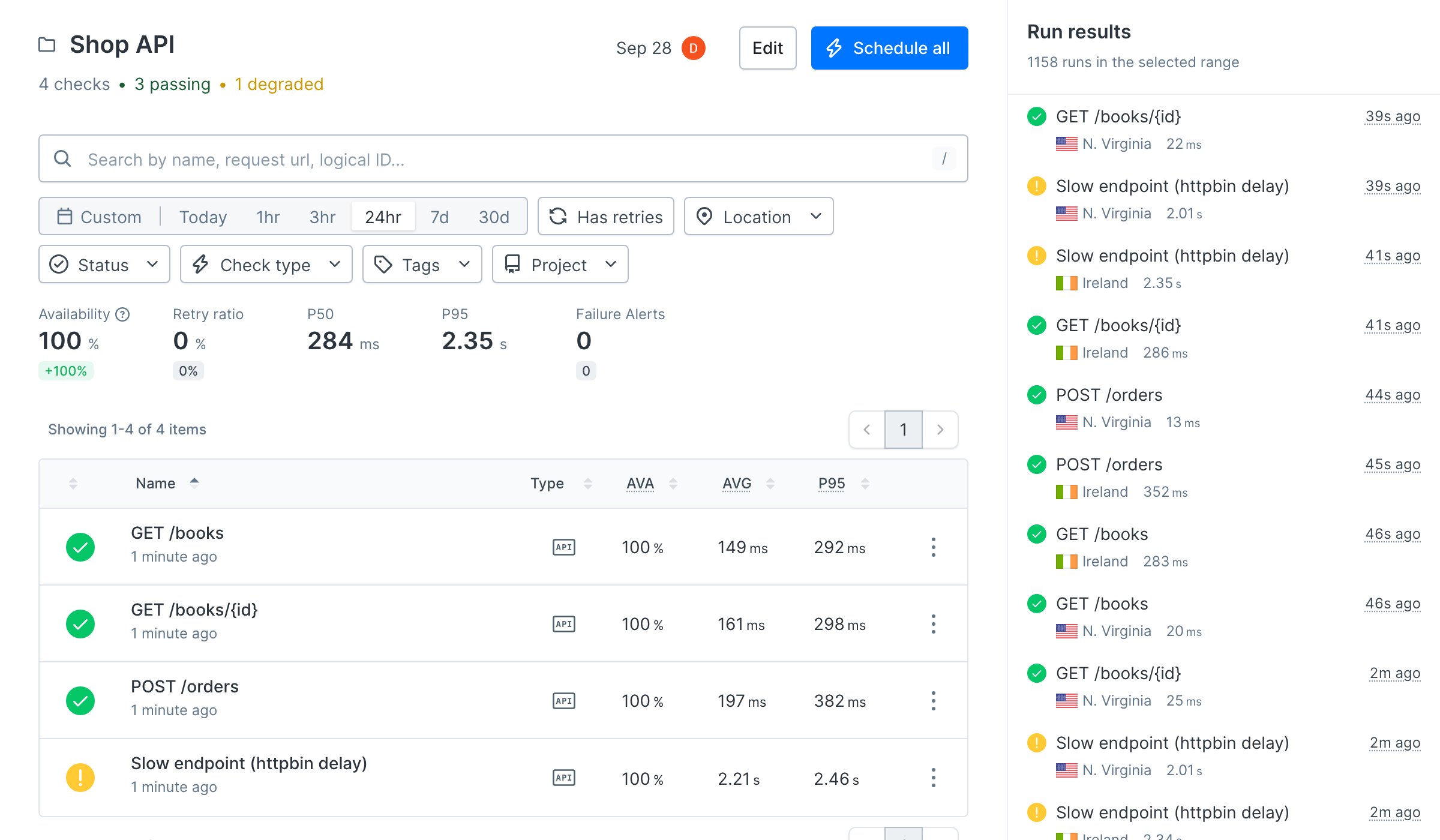
Every check so far spreadsresponseTimes, so each one already separates slow from down. To see where the lines sit, add an endpoint that is always slow. httpbin.org waits two seconds before answering.
__checks__/slow.check.ts
Authenticate, create, and clean up
A write endpoint needs a token, a request body no previous run has sent, and something to delete afterward. Setup and teardown scripts wrap the request with that work, so the check stays self-contained.__checks__/orders.check.ts
request object whose method, URL, headers, query parameters, and body it can change:
__checks__/orders.setup.ts
request plus a response whose body it can rewrite:
__checks__/orders.teardown.ts
Terminal
Terminal
Terminal
Terminal
Verify it works
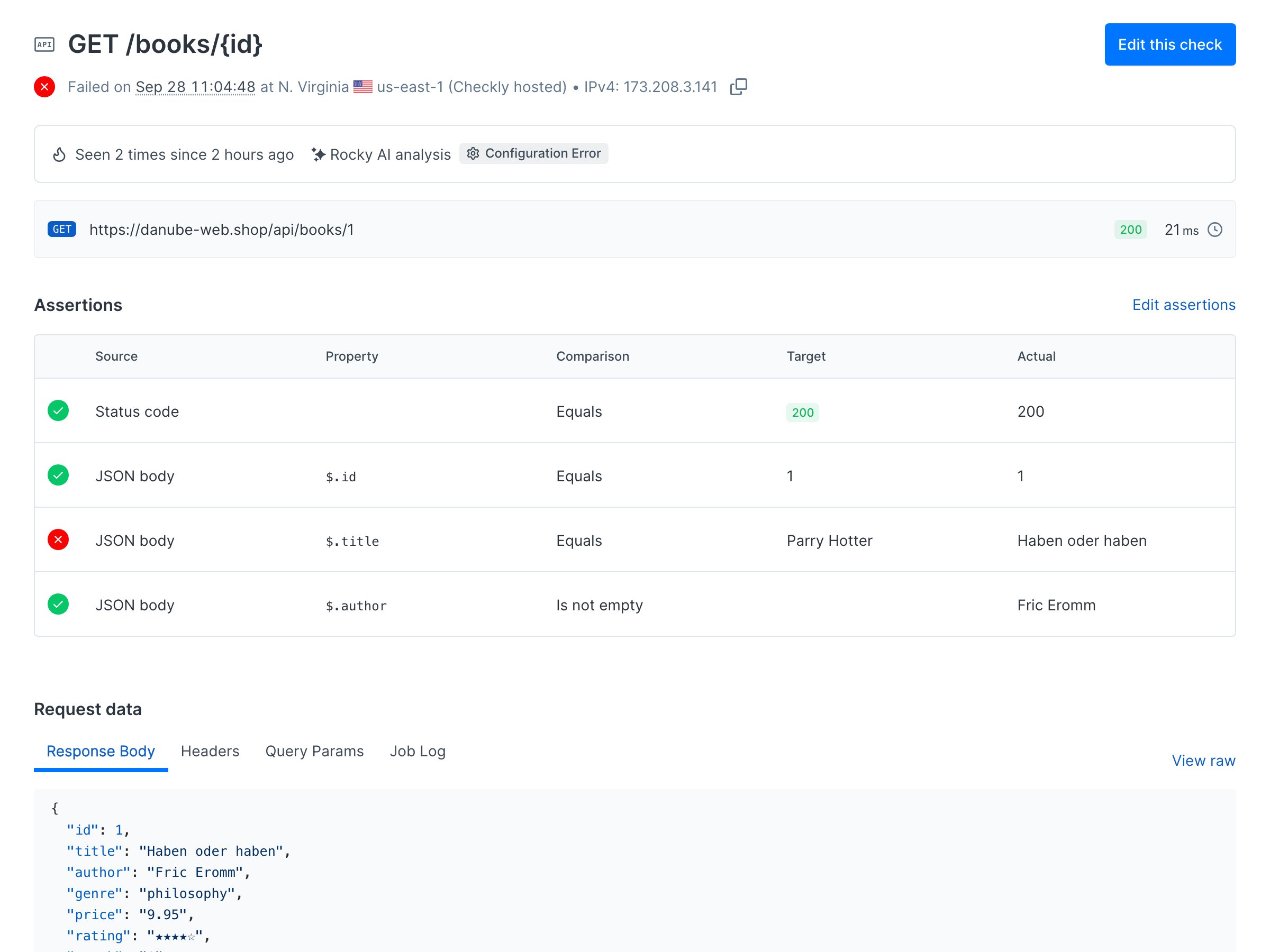
Simulate a bad data migration. In__checks__/catalog.check.ts, change the expected title from 'Haben oder haben' to 'Parry Hotter' and run npx checkly test --record again. The detail check fails, and the output names the assertion that broke:
Terminal